Checkout
Overview
The subscription checkout is the payment flow that the customer completes when subscribing to a plan. When creating a plan, the API returns a subscriptionUrl where the user can complete the process in a few steps.
Checkout flow
The subscription checkout is divided into three main steps:
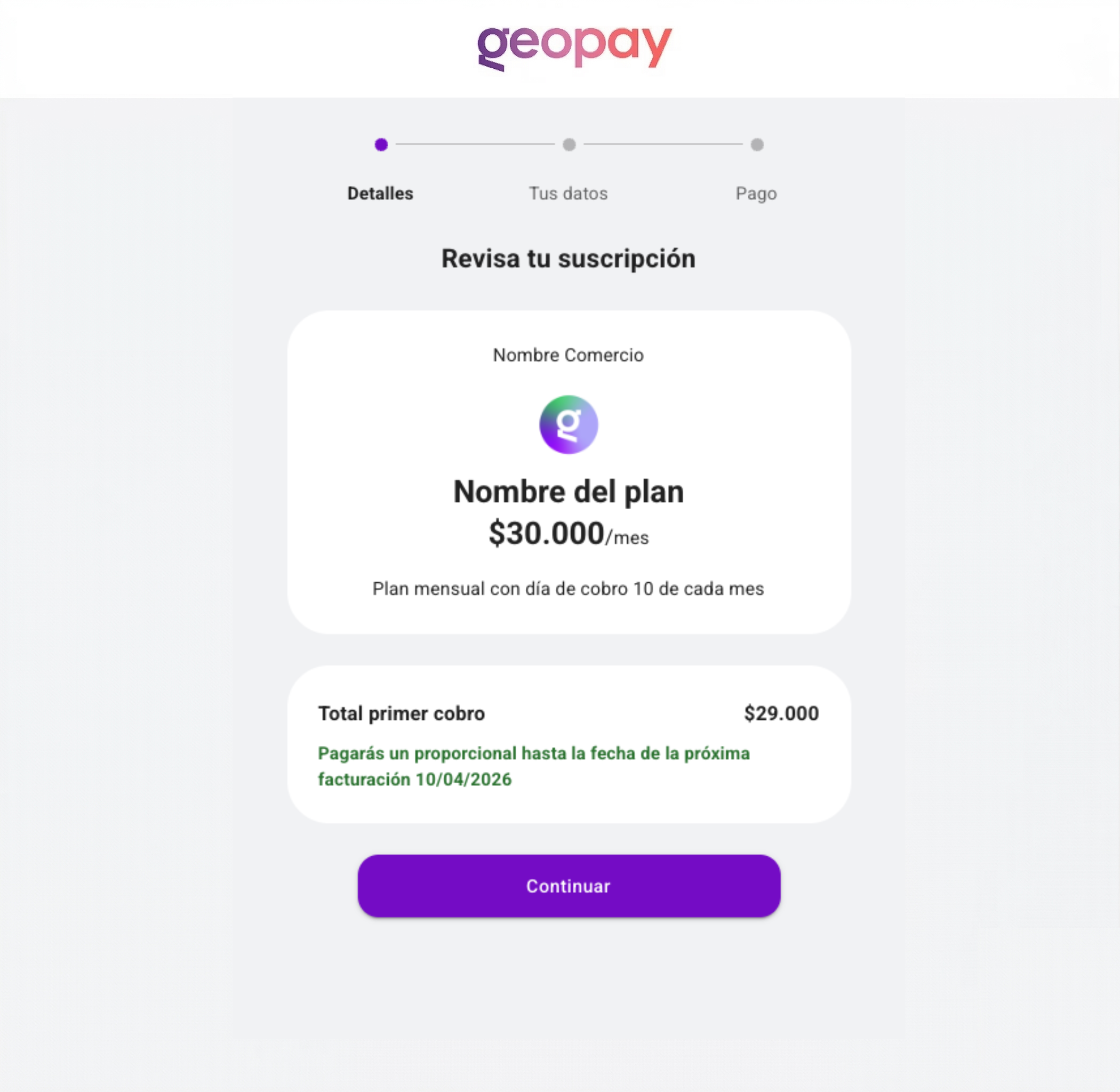
1. Review your subscription (Details)
In the first step, the customer views the summary of the plan they are subscribing to: billing frequency, amount, and details of the first charge (which may be prorated until the next billing date).
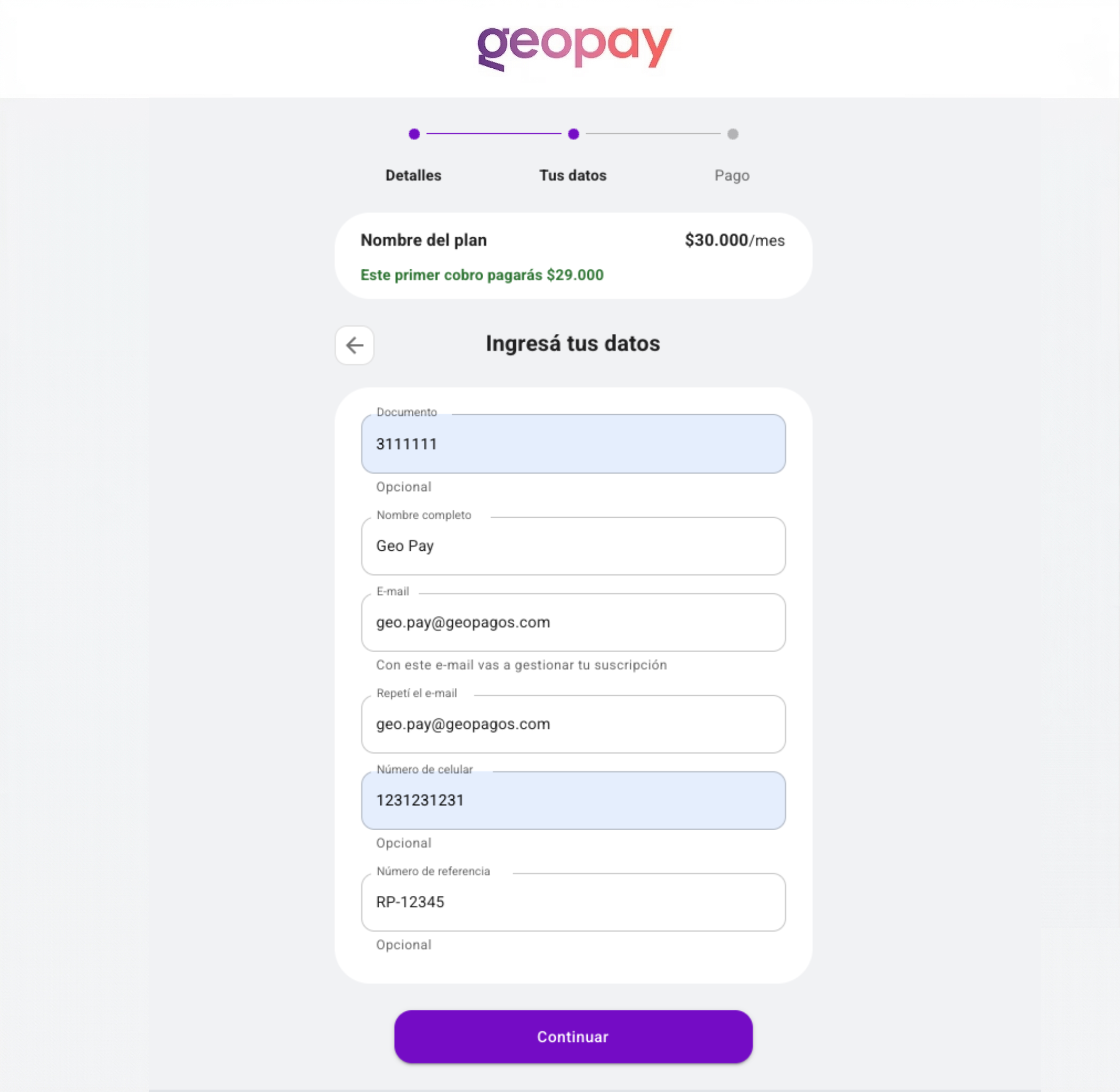
2. Your data
The customer enters their personal information to manage the subscription: full name, email (which they will use to manage their subscription), phone number, and document. The email is the main identifier for managing the subscription.
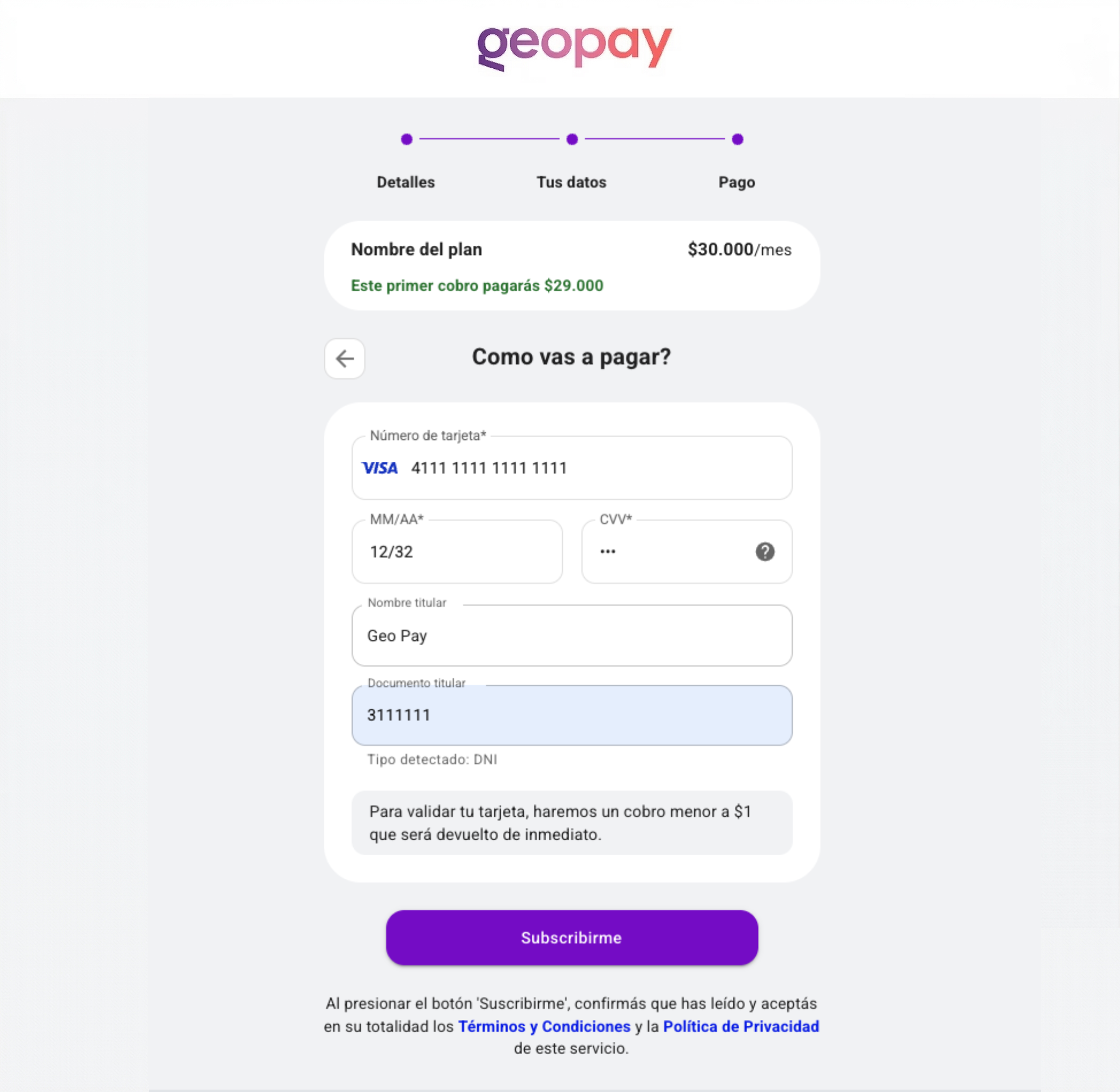
3. Payment
In the final step, the customer enters their credit or debit card details: number, expiration date, CVV, cardholder name, and document. To validate the card, a charge of less than $1 is made and refunded immediately.
Integration
To integrate the checkout into your application:
- Create a plan using the Plans API endpoint. The response will include
subscriptionUrl. - Redirect the customer to the
subscriptionUrlto complete checkout. - The customer completes the three steps (review subscription, enter data, pay) in the provided interface.
- Once completed, the subscription is active and recurring charges will be processed according to the plan.
More information
- Plans API - Create plans and obtain the subscriptionUrl
- Subscriptions - Manage active subscriptions
- Charges - Query charge history